The Slotoland app is a casino client you install on your phone. But start with this: the Slotoland mobile version runs in the browser with nothing to install, and it does everything the desktop does — slots, live casino, cashier, bonuses and support. Installing is only for Android users who want the APK; on iPhone and iPad the site is added to the home screen through Safari, and there is no App Store program.
One point to understand up front. Casinos barely distribute their apps through Google Play in the usual way. Google's gambling content policy allows publication only after separate developer verification in each jurisdiction, so Android builds are normally downloaded from the operator's own site as an APK file.
The set of sections is identical in the app and in the browser — the operator does not build the mobile client as a separate product. The difference comes down to how it launches and how much space it takes.
Mobile traffic has long dominated iGaming. According to StatCounter Global Stats, smartphones account for over 60% of global web traffic, and the share is higher still in online casino. That is why operators invest in mobile clients.
Do you need the client if you play a couple of times a week? Probably not. The browser version covers that scenario completely — it takes no space and updates itself. For daily sessions the convenience gap becomes noticeable.
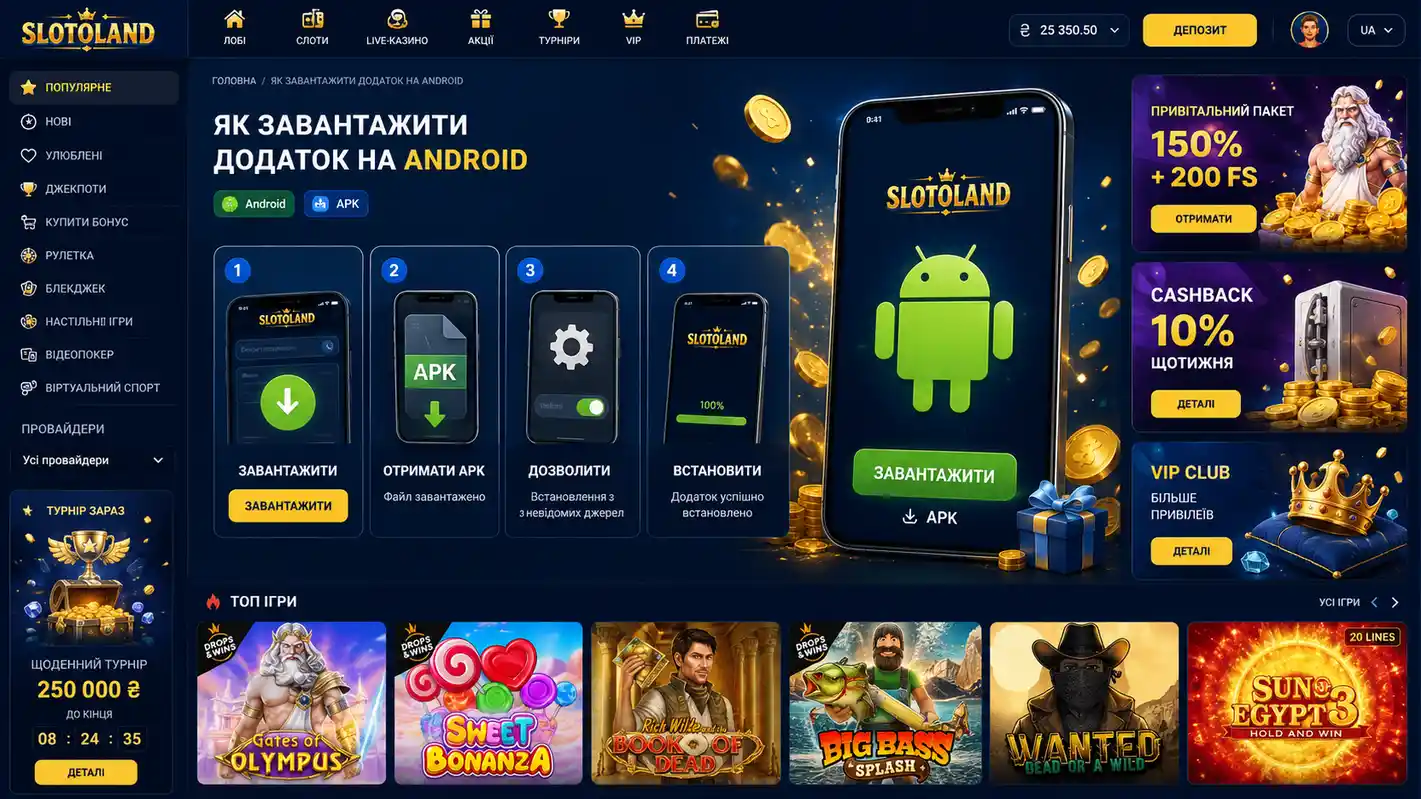
Installing the APK takes a few minutes. There is one hard rule: the file must come from the operator's own site. Third-party APK aggregators are a direct route to an infected device. The step is optional — the mobile site gives the same functionality.
On Android 8.0 and later the permission is granted per source app, as described in the Android Developers documentation. That is safer than the old global switch: the permission covers one app only.
The operator publishes no official requirements. In practice you need a phone or tablet with a current system version, a modern browser and a stable connection — graphics quality and features hold up on mobile devices.
| Parameter | Minimum | Recommended |
|---|---|---|
| Access method | Browser, no install | APK from the official site |
| OS version | Still supported by the vendor | Current Android release |
| App store | Not available in Google Play | |
| Connection | 3G | 4G / Wi-Fi for live tables |
| Free space | 0 MB for the browser version | Room for the APK and its cache |
Older devices still run most slots, though 3D graphics and live tables may stutter. The easiest way to check a specific game is demo mode — it is available for every type of slot and costs nothing while you judge how smoothly it runs.
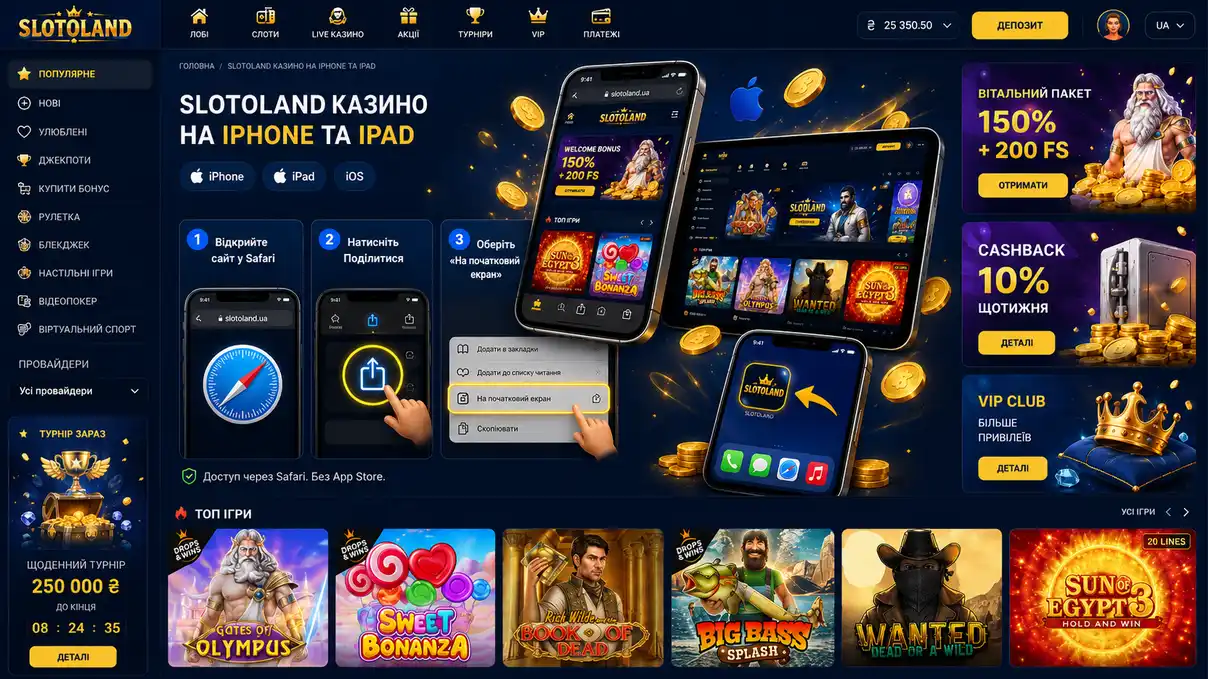
There is no separate Slotoland program for iOS — not in the Ukrainian App Store and not elsewhere. Apple's policy is stricter than Google's: under the App Store Review Guidelines (section 5.3), real-money apps may only be published by a licensed operator and only in permitted regions. iPhone and iPad owners therefore use the mobile site, added to the home screen (PWA).
The cashier, bonuses, live casino and support all work exactly as on desktop. Updates happen automatically because the content loads from the server, and the shortcut takes practically no storage.
The mobile site works on any device with a browser and needs no installation; functionally it mirrors the desktop. The app is Android-only and wins on launch speed. Here it is side by side.
| Criterion | App | Mobile version |
|---|---|---|
| Installation | Required (APK, Android only) | Not required |
| Device storage | Takes space for the package and cache | Browser cache only |
| Launch speed | Higher | Depends on the connection |
| Updates | By downloading a new build | Automatic, server-side |
| Game catalogue | Identical | Identical |
| Bonuses and promo codes | Same terms | Same terms |
| iOS and Android support | Android only | Both, plus desktop |
The takeaway is simple: balance, transaction history and bonus account are shared. You can start on a computer and continue on a phone without losing progress.
The interface follows a "fewest clicks to the game" logic: the account balance sits in the top right corner and the category menu is a panel of its own. Newcomers note the absence of clutter: game descriptions are short and navigation needs no instructions.
The "Cashier" opens with one button. It gathers the top-up methods — bank cards, e-wallets and mobile transfers. The minimum deposit is ₴50 with no fee from the casino; the minimum withdrawal is ₴50 as well, and the daily ceiling is up to ₴50,000.
A provider filter sorts the catalogue by studio, and search works on partial title matches. The profile holds your verification status, uploaded documents and the responsible gambling tools — deposit limits, time-out and self-exclusion.
An APK from an unofficial source is the main risk for a player. Research by Kaspersky shows mobile banking trojans are distributed mostly through modified APKs outside official stores.
As for the operator itself: Slotoland runs on Curaçao government licence No. 376JAZ with sub-licence GLH-OCCHKTW0806055677 of 06.07.2024, and transactions and personal data travel over SSL. It holds no Ukrainian licence, so payouts carry no state guarantee.
The usual cause is the unknown-sources permission being off. The second most common is a lack of free space. Clear some memory and try again, or just open the site in a browser — nothing to install there.
Clear the cache: "Settings" → "Apps" → the app name → "Storage" → "Clear cache". If that does not help, uninstall it and install a fresh build from the site.
Slots run on the providers' servers, so the problem is almost always the connection. Switch from mobile data to Wi-Fi or the other way round.
Check the notification permissions in the system settings, and make sure battery saving is not restricting the app's background activity.
Reset the password by e-mail or SMS first. If that does not restore access, contact support: the @SlotoLand_bot live chat runs around the clock and answers in about two minutes, the site form takes up to four hours, and e-mail [email protected] up to 24 hours.
Yes, downloading and installing cost nothing. You only spend the money you deposit yourself — from ₴50, with no fee.
No. One account covers every platform — site, mobile version and app. Balance and bonuses sync automatically.
Because of Google's restrictions on real-money gambling in many regions, so the operator distributes the APK itself. There is no App Store app either — a Safari shortcut is used instead.
Yes. Demo is available for every type of slot, but not for live tables with real dealers.
The operator does not publish the build size — check the actual file size on the download page. The browser version takes nothing beyond cache.
Yes, the terms are identical across platforms: the code field sits in the "Bonuses" section.
You can play from a phone without installing anything: the Slotoland mobile version opens in the browser and mirrors the desktop — slots, live casino, cashier, bonuses and support. Android owners can additionally install the APK from the official site; iPhone users get a Safari shortcut on the home screen.
Functionally the mobile version and the app offer the same games, payment methods and bonuses. Choose by habit: the client suits daily Android players, the browser suits everyone else. And keep the operator's status in mind — a Curaçao licence, no Ukrainian one, and no two-factor authentication.
Gambling in Ukraine is permitted from the age of 21 and is entertainment, not a source of income. Set deposit limits, take breaks and seek help at the first signs of a problem. Free consultations are provided by organisations such as BeGambleAware.